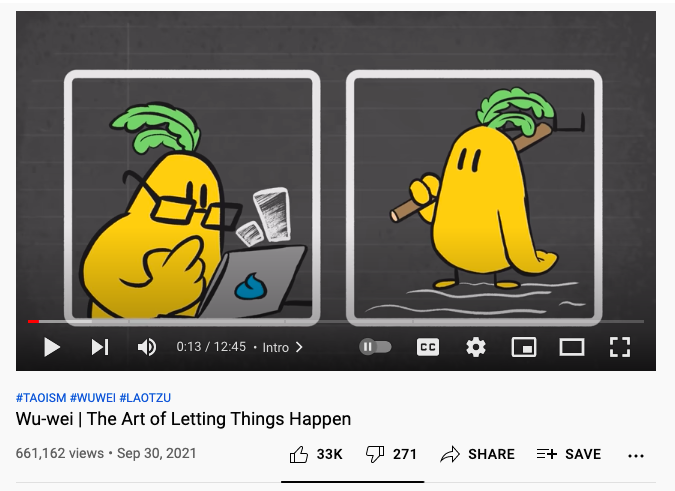
YouTube has recently hidden the number of dislikes for YouTube videos. In a blog post from November, YouTube announced that this was done to "help better protect our creators from harassment, and reduce dislike attacks". The dislike button hasn't disappeared, but the dislike counts were made private, so that only video creators could see them.
If you install this Chrome extension, you can bring back the number of dislikes next to the "dislike" button. Unfortunately, YouTube removed the ability to obtain the number of dislikes from the API, so the extension uses archived data and the number of dislikes from the extension's users. The extension has "200+ million videos likes/dislikes data stored before December 13th, 2021". This means that the number of dislikes displayed by the extension may be inaccurate, but it's still better than no information.
April Fools' Day should probably be called Google Fools' Day, since there are so many Google hoaxes.
Google Japan developed a "bubble wrap" version of the Japanese keyboard. "The Google Japanese input bubble wrap version is a keyboard that realizes 'I want to press in my mind, I want to keep pressing'," according to Google Translate.
Another product for your smart home? Meet Google Gnome, "a voice-activated, hands-free tool designed to make backyard living effortless. Need to know what animal is squeaking in your bushes? Stay still and ask Gnome what sound an opossum makes. Running low on birdseed? That’s where Gnome comes in. You can even use Gnome's proprietary high-intensity lasers to trim your hedges into whatever shape your heart desires."
The Chrome OS team brings the most popular mobile accessories to the Chromebook, which already blurs the line between mobile and desktop. Chromebook Groupie Stick, Chromebook Cardboard, Chromebook Workout Armband will soon be available in the Google Store. "To take advantage of beautiful, high-resolution displays, as well as great photo editing apps, we've carefully engineered the first Chromebook-sized selfie stick. Never again will you miss the perfect groupie."
Haptic Helpers make VR even more immersive. "We're taking VR to the next level with Haptic Helpers. Using a modest set of everyday tools, these VR virtuosos can simulate more than 10,000 unique experiences, all from the comfort of your own home. Smell the roses. Listen to the ocean. Feel a fluffy dog!"
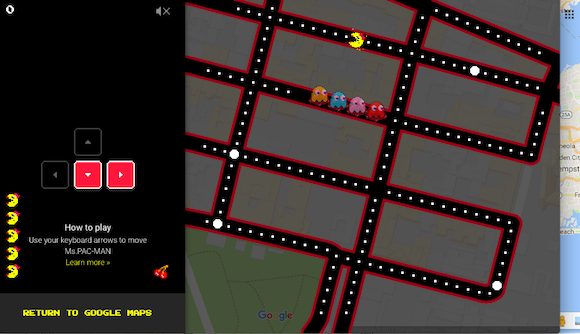
You can now play the classic arcade game MS. PAC-MAN in Google Maps. "Avoid Blinky, Pinky, Inky, and Sue as you swerve the streets of real places around the world. But eat the pac-dots fast, because this game will only be around for a little while." Just go to the Google Maps site or open the Google Maps app for Android or iOS and click or tap MS. PAC-MAN at the bottom.
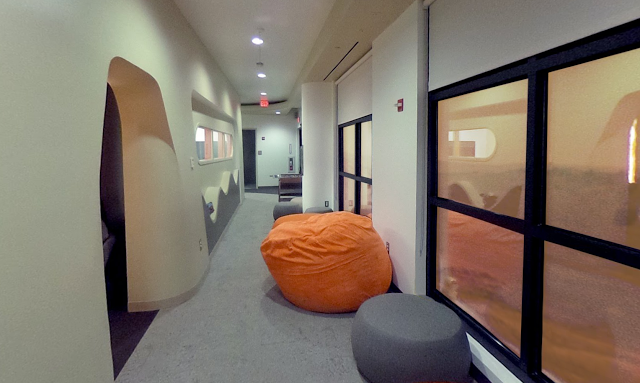
Google Cloud Platform expands to Mars. "By opening a dedicated extraterrestrial cloud region, we're bringing the power of Google’s compute, network, and storage to the rest of the solar system, unlocking a plethora of possibilities for astronomy research, exploration of Martian natural resources and interplanetary life sciences. This region will also serve as an important node in an extensive network throughout the solar system. Our first interplanetary data center — affectionately nicknamed 'Ziggy Stardust' — will open in 2018," mentions Google.
Google Netherlands came up with Google Wind, a machine learning technology that controls the weather. "The Netherlands has many windmills, some no longer in use, we can connect to Google Cloud Platform. So we use the existing Dutch infrastructure, machine learning, weather patterns to control the network of windmills when rain is approaching. The first test results are very promising: we seem to be able to provide sun and clear skies for everyone in the Netherlands," mentions Google Netherlands blog.
Google's search app for iOS is now optimized for cats and dogs. "On the Google app for iOS, you can now use 3D Touch on the app icon or head to settings and select I'm Feeling Woof or I'm Feeling Meow to let your dogs and cats get info on topics they care about—whether that means squeaky toys or a bowl of milk!"
Google also launched Google Play for Pets, a new category of Android games designed for cats, dogs and other pets.
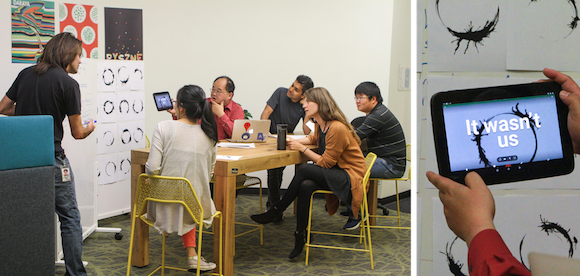
Google Translate's Word Lens feature supports a new language: Heptapod B, the alien language from the movie "Arrival". "The challenge with understanding Heptapod B is its nonlinear orthography. Fortunately, Google's neural machine translation system employs an encoder/decoder system that internally represents sentences as high-dimensional vectors. These vectors map well to the non-linear orthography of the Heptapod language and they are really the enabling technical factor in translating Heptapod B."
If you try to send a JavaScript attachment using Gmail or if you want to download a .js attachment, you'll get a new anti-virus warning: "Blocked for security reasons", "1 attachment contains a virus or blocked file. Downloading this attachment is disabled".
.JS has been added to the long list of file types that are blocked by Gmail for security reasons. The full list: .ADE, .ADP, .BAT, .CHM, .CMD, .COM, .CPL, .EXE, .HTA, .INS, .ISP, .JAR, .JS (NEW), .JSE, .LIB, .LNK, .MDE, .MSC, .MSI, .MSP, .MST, .NSH .PIF, .SCR, .SCT, .SHB, .SYS, .VB, .VBE, .VBS, .VXD, .WSC, .WSF, .WSH. "To prevent against potential viruses, Gmail doesn't allow you to attach certain types of files, including: certain file types (listed above), including their compressed form (like .gz or .bz2 files) or when found within archives (like .zip or .tgz files), documents with malicious macros, archives whose listed file content is password protected, archives whose content includes a password protected archive."
The GSuite Blog informs that "for inbound mail, senders will get a bounce message explaining why the email was blocked. If you still need to send .js files for legitimate reasons, you can use Google Drive, Google Cloud Storage, or other storage solutions to share or send your files."
You can still send JavaScript files using Gmail if you change the extension. What about downloading old .js attachments? Try the workarounds from this post.
Google Image Search has a different way to display suggestions: it now shows a long list of colorful boxes with related searches. You can click one or more boxes to dynamically refine search results.
For example, when searching for [sportswear], Google shows suggestions like: [women basketball], [tennis], [badminton], [golf], [volleyball], [nike woman], [alexander wang], [adidas], [fashion], [performance], [vintage], [trendy], [urban], [school], [gym], [90's], [70's], [vogue], [luxe], [avant garde], [korean], [italian], [french] and more. It's interesting to notice that each category of suggestions has a different color.
Here's the old interface, which had fewer suggestions and displayed thumbnails next to suggestions:
Google Image Search's mobile interface tests a new feature that starts playing snippets from a YouTube video at the top of the search results page. It's not disclosed as an ad, there's no sound and you can't stop or hide the video, which continues to play on repeat.
Right now, the experiment seems to be limited to fashion-related queries like [men jackets], [lookbook], [winter outfit], which match videos from YouTube channels like New Look and River Island. "New Look is a South African-owned British global fashion retailer with a chain of high street shops. (...) The chain sells womenswear, menswear, and clothing for teens," according to Wikipedia.
Google only shows labels like: "New Look on YouTube", even though this looks like an experimental ad format. I hope it will never become a regular feature, as it's pretty annoying and it wastes Internet bandwidth.
It looks like YouTube's notification experiment is now a regular feature and you can no longer disable it by clearing cookies. When sign in to your Google account, YouTube's desktop site no longer shows Google+ notifications in the navigation bar: it replaces them with YouTube notifications.
"Your notifications live here. Subscribe to your favorite channels to get notified about their latest videos," informs the new notification box.
YouTube has recently started to experiment with replacing Google+ notifications in the navigation bar with YouTube notifications. You get notifications for recently uploaded videos from your subscribed channels, but only if you've enabled notifications for those channels. For example, you can go to the subscription manager and click the bell icon next to a channel to enable or disable notifications.
Just in time for New Year's dinner, Google has a new mobile interface for recipe search. I searched for [avocado mayo] and noticed a long list of keywords below the search box and ads: salad, chicken, shrimp, vegan, bacon and more. You can select more than one keyword and this helps you refine the results.
When selecting a related search, you get a completely different interface that only shows recipes: bigger expandable cards, bigger thumbnails, infinite scrolling.
For some reason, Google Translate now has a limit of 5000 characters per translation. There's even a character counter at the bottom of the input box. If you happen to paste a long text that has more than 5000 characters, you'll get an error message ("maximum characters exceeded: X characters over 5000 maximum") and a "translate more" option that lets you translate the rest of the text.
I don't understand the purpose of this restriction, considering that Google doesn't impose any limitation when translating web pages. It's worth pointing out that Google Translate's API has a similar limitation: "the maximum size of each text to be translated is 5000 characters, not including any HTML tags". Google's translation card from Google Search has a different limit: about 2800 characters.
Google's knowledge graph card tests a feature that lets you like or dislike movies and TV shows. For example, when you search for "It's a Wonderful Life", you can click like or dislike and check the percentage of Google users who liked it.
The same buttons show up when you search for a TV show like "Saturday Night Live".